Choosing the Wrong AI Image Generator Could Cost You Hours of Editing
AI Image Generator

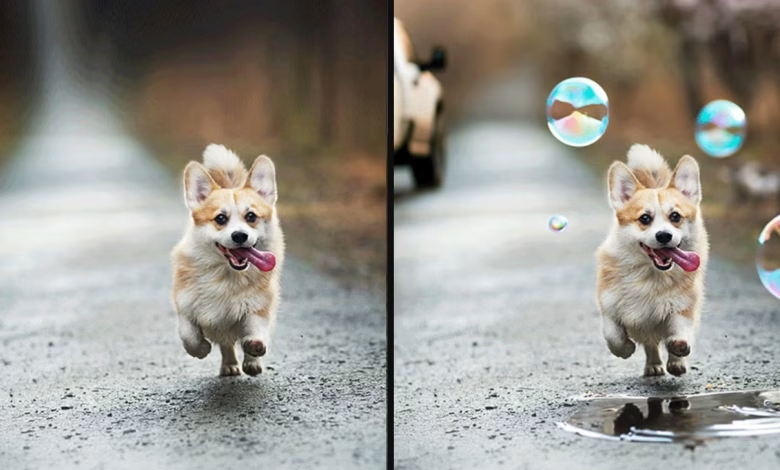
You typed a prompt, got a beautiful-looking result in seconds, and thought the hard part was over. Then you zoomed in. The text on the sign is gibberish. The product label is warped. The hands look wrong. Now you’re in Photoshop for the next two hours trying to fix what should have taken thirty seconds to generate correctly in the first place. If this sounds familiar, you’ve run into one of the most common, most avoidable mistakes people make with AI image generation: picking the wrong tool for the job, then paying for that mismatch in editing time later.
The truth most comparison articles gloss over is that there’s no single best AI image generator. There’s only the right AI image generator for what you’re actually trying to make, and choosing based on hype, a viral demo, or whichever tool a friend recommended, rather than your actual use case, is exactly how people end up burning hours fixing avoidable problems after the fact.
Why “Best AI Image Generator” Is the Wrong Question to Start With
Every AI image generator on the market in 2026 is genuinely good at something specific, and genuinely weak at something else. The mistake most people make is asking which tool is “best” overall, rather than asking which tool is best suited to the specific kind of image they’re trying to produce. Pick based on what you’re actually making, not on a generic feature list or an impressive demo image that may not reflect the tool’s actual strengths for your use case.
This distinction matters enormously for the editing time question specifically. An AI image generator that’s phenomenal at cinematic, artistic compositions might be genuinely poor at rendering legible text, and if your project needs a poster with readable words on it, choosing that artistically gifted tool anyway means you’re signing up for manual text correction in a separate editing tool, every single time, regardless of how many times you regenerate the image.
Midjourney’s Artistic Strength Comes With a Real Editing Cost for Certain Use Cases
Midjourney v7 remains widely regarded as the aesthetic leader among AI image generators, producing the most visually striking, cinematographic results with minimal prompting effort, which is exactly why it’s such a popular default choice. But that artistic strength comes with a specific, well-documented weakness: text rendering inside images sits around only 30 to 40 percent accuracy, a number that translates directly into editing time whenever your project requires legible words, labels, or signage inside the generated image itself.
This is precisely the kind of mismatch that costs people hours without them realizing it upfront. Someone generating a poster concept in Midjourney because they love its artistic style will often end up manually rebuilding the text layer in Photoshop or Canva after the fact, work that could have been avoided entirely by starting with a tool actually built for that specific requirement.
Ideogram Solves the Text Rendering Problem Most Other Tools Still Struggle With
If your project genuinely needs readable text inside the image itself- posters, labels, title cards, signs, stickers, or logo-style concepts- Ideogram v3 is widely considered the clear leader for text rendering accuracy, reaching 90 to 95 percent accuracy compared to competitors that still struggle significantly with the same task. Ideogram shouldn’t be treated as a weaker, generic alternative to Midjourney or DALL-E; it solves a genuinely narrower problem exceptionally well, and for that specific problem, it consistently saves the manual correction time other tools require.
This is the core lesson worth internalizing about choosing the right AI image generator: a tool built specifically for your exact requirement will almost always save more editing time than a generally more popular or more artistically celebrated tool that happens to be weaker in the one area your project actually depends on.
Flux 2 Has Become the Photorealism and Commercial Photography Standard
For product photography, human subjects, and architectural visualization, Flux 2 from Black Forest Labs has emerged as a genuine category leader, surpassing both Midjourney and DALL-E on photorealism specifically, generating images in roughly 4.5 seconds at 2048×2048 native resolution. If your project involves product shots, realistic human figures, or architectural renders, choosing an AI image generator optimized for stylized artistic output instead of photorealism is a common, costly mismatch, since stylized results in these categories typically require extensive manual retouching to look genuinely photorealistic afterward.
It’s worth noting Flux’s honest tradeoffs too, since choosing it isn’t automatically the right call for every situation either. There’s no first-party web interface for the open-weights version, meaning more setup friction compared to browser-based tools like DALL-E or Ideogram, and its artistic, stylized output trails Midjourney’s cinematographic quality noticeably, another example of how the “right” AI image generator genuinely depends on matching the tool’s specific strengths to your specific project rather than defaulting to whichever tool is generating the most buzz.
Adobe Firefly’s Commercial Licensing Protection Can Save You an Entirely Different Kind of Cost
Not every editing-time risk from choosing the wrong AI image generator shows up as a visual flaw you need to fix in Photoshop. Some risks are legal, and they can cost far more than hours. Adobe Firefly is trained exclusively on Adobe Stock’s licensed image library, openly licensed Creative Commons content, and public domain material, which lets Adobe offer commercial intellectual property indemnification, meaning Adobe will cover legal defense costs if a generated image triggers a copyright infringement claim, a guarantee that Midjourney, DALL-E, Stable Diffusion, Flux, and Ideogram cannot offer due to their web-scraped training datasets.
For commercial work where legal defensibility genuinely matters- advertising campaigns, print materials, branded content at scale- choosing an AI image generator without this protection isn’t primarily an editing-time risk; it’s a business risk that dwarfs whatever time you’d save using a more artistically impressive but legally unprotected alternative.
Why Matching Tool to Volume and Workflow Matters as Much as Matching Tool to Style
Beyond individual image quality, the right AI image generator choice also depends heavily on your actual production volume and workflow needs, a factor that gets overlooked constantly and creates its own kind of hidden editing burden. A content team or marketing organization generating roughly a thousand images a month has fundamentally different requirements than someone generating a handful of hero images for a single campaign, and choosing a premium, artistically focused tool built for the latter use case when you actually need the former often means paying both a higher per-image cost and spending more manual time managing a workflow the tool wasn’t built to support at scale.
For high-volume, budget-conscious production, tools like Flux 2 Schnell or self-hosted Stable Diffusion 4 tend to offer a better balance of cost and throughput, while Stable Diffusion in particular remains popular specifically because of its massive customization options, including LoRAs and ControlNet, that let teams fine-tune output consistency across a large volume of images in ways that reduce, rather than increase, the manual correction burden over time.
The Accessibility Factor That Quietly Adds to Total Time Spent
It’s also worth factoring in setup friction itself as a form of hidden time cost when evaluating an AI image generator, separate from the quality of the output. Tools like Adobe Firefly, GPT Image 2, and Ideogram work directly in a browser with no setup required, while Midjourney requires its web interface or a Discord-based workflow, and Flux often requires third-party platforms or local ComfyUI deployment, with Stable Diffusion requiring genuine GPU hardware, generally 16GB or more of VRAM for production-quality output, or ongoing cloud compute costs.
For someone without a technical background or existing GPU infrastructure, choosing a tool with heavier setup requirements can add real hours before you’ve even generated your first usable image, an upfront time cost that’s easy to underestimate when comparing tools purely on the quality of their sample outputs.
A Practical Framework for Choosing Based on What You’re Actually Making
Given how genuinely different these tools are, the most efficient approach is starting from your specific project requirements rather than a general “best AI image generator” ranking. If your priority is artistic quality with minimal prompting effort, Midjourney remains the strongest starting point. If your image needs legible, accurate text, go directly to Ideogram rather than trying to force a different tool to spell correctly through repeated regeneration. If you need photorealistic product shots or human subjects, Flux 2 or a comparable photorealism-focused model like Imagen 4 will save considerable retouching time compared to a more stylized alternative. If commercial legal safety matters more than raw aesthetic quality, Adobe Firefly’s indemnification protection is worth the tradeoff. And if you’re generating at genuine scale on a tight budget, Flux 2 Schnell or self-hosted Stable Diffusion will serve you better than a premium subscription built for smaller, more curated output.
This framework matters because the editing time lost from a mismatched tool compounds quickly across a real project. A single wrong choice on a one-off image might cost you twenty minutes in Photoshop. The same wrong choice applied across a fifty-image campaign, a product catalog, or a recurring content calendar can cost days of avoidable manual correction, time that a fifteen-minute upfront comparison of the right AI image generator for the job would have completely prevented.
Testing Before Committing Is Worth the Small Time Investment
Given how differently these tools perform depending on use case, it’s worth testing a small sample generation in your actual target tool before committing to a full production run, rather than assuming a tool’s general reputation will hold for your specific project. Most major AI image generators, including Ideogram, Leonardo AI, and several others, offer meaningful free tiers or daily credit allowances specifically for this kind of evaluation, making it genuinely low-cost to confirm a tool handles your specific requirement, text accuracy, photorealism, style consistency, before you invest real production time into a full batch.
For a detailed, use-case-based breakdown of how the major 2026 AI image generators compare across artistic quality, photorealism, text rendering, and commercial licensing, Miniloop’s comparison guide offers a clear, practical framework for matching tool choice to project type, and AI Business Weekly’s detailed model comparison provides a deeper technical breakdown of pricing, setup requirements, and output quality across the current field worth reviewing before committing to a specific workflow.
The Real Lesson Behind Every Avoidable Editing Session
The pattern behind most wasted editing hours isn’t a flaw in AI image generation technology itself, it’s a mismatch between the tool chosen and the actual requirement of the project. Every major AI image generator available in 2026 is remarkably capable within its specific strengths, but none of them are universally strong across every category simultaneously, and treating any single tool as a one-size-fits-all default is exactly how avoidable editing time keeps piling up across otherwise straightforward projects.
The fifteen minutes it takes to actually match your specific project, artistic style, photorealism, legible text, commercial licensing, production volume, to the AI image generator genuinely built for that requirement is consistently one of the highest-leverage decisions in the entire workflow, saving hours of manual correction that a slightly more thoughtful tool choice would have avoided from the start.
Frequently Asked Questions
Which AI image generator is best for images that need readable text?
Ideogram v3 is widely considered the clear leader for text rendering accuracy, reaching 90 to 95 percent accuracy, considerably higher than tools like Midjourney, which struggles significantly with legible text inside generated images.
Is Midjourney still the best overall AI image generator in 2026?
Midjourney v7 remains the strongest choice for artistic, stylized quality with minimal prompting effort, but it’s a poor fit for projects requiring accurate text or strict commercial licensing protection, where other tools perform considerably better.
Why does commercial licensing matter when choosing an AI image generator?
Adobe Firefly offers intellectual property indemnification because it’s trained exclusively on licensed and public domain content, a legal protection that tools trained on web-scraped data, including Midjourney, DALL-E, and Flux, generally cannot offer.
What’s the best AI image generator for photorealistic product photography?
Flux 2 from Black Forest Labs has become a leading choice for photorealism, particularly for product shots, human subjects, and architectural visualization, generally outperforming more stylized, artistically focused tools in this specific category.
Do all AI image generators require the same amount of technical setup?
No. Tools like Adobe Firefly, Ideogram, and GPT Image 2 work directly in a browser with minimal setup, while Flux and Stable Diffusion often require third-party platforms, local deployment, or significant GPU hardware for production-quality output.
Is it worth testing an AI image generator before committing to a large production run?
Yes. Most major tools offer free tiers or daily credit allowances, making it low-cost to confirm a tool handles your specific requirement, text accuracy, style, or photorealism, before investing production time into a full batch of images.
Which AI image generator works best for high-volume content production on a budget?
Flux 2 Schnell and self-hosted Stable Diffusion 4 tend to offer the best balance of cost and throughput for large-volume production, particularly for teams needing consistent output across many images rather than a small number of premium hero images.
How much editing time can choosing the wrong AI image generator actually cost?
It varies by project scale, but a single mismatched image might cost twenty minutes of manual correction, while the same mismatch applied across a larger campaign or content calendar can compound into days of avoidable editing work.